

Finding the easiest tablets for senior citizens can be challenging, but possible – with a lot of research! This is because seniors have a wide range of unique needs.
However, manufacturers are continuously making improvements to come up with products that meet those needs.
There are several available computer tablets for seniors to help them stay connected with technology, from large-print keyboards to touchscreens to simplified operating systems.
This article explores and compares 7 android tablets for those looking for functionality within their budgets. Because of the fast pace of advancemnents in technology, the article is currently undergoing updates to intoduce some newer models.
Key Criteria to Check when Researching Easiest Tablets for Seniors
When looking at easy to use tablets for seniors, the most important factor to consider is your use. Do you want to just send emails, look at family photos, watch movies, or create spreadsheets?
Will you use it at home or will you like it to be portable? Are there any physical restrictions for you?
Ease of Use
A simple, intuitive user interface is key, while integration with voice assistants like Siri or Google Assistant can simplify tasks especially for seniors less able to move around.
Look for tablets that come with useful pre-installed apps, reducing the need for additional setup.
Display and Size
A screen size between 8 to 10 inches is typically a good balance between portability and readability. High resolution (at least 1920×1080) ensures clear and sharp text and images., while a bright and high-contrast display improves visibility, especially in varying lighting conditions.
Battery Life
Look for user friendly tablets for seniors with a battery life of at least 8-10 hours to avoid frequent recharging.
Performance
A fast processor and sufficient RAM (at least 3-4 GB) will ensure smooth performance for browsing, video calls, and other tasks. Depending on usage, 32 GB might be minimal, but 64 GB or more is preferable, especially if storing many photos, videos, or apps.
Connectivity
Ensure the tablet supports the latest Wi-Fi standards (like Wi-Fi 5 or 6). Bluetooth is needed to connect peripherals such as keyboards, mice, or hearing aids. For those who need internet access without Wi-Fi, tablets with cellular capabilities (4G/5G) are better.
Accessibility Features
Check Font Size Adjustments as the ability to increase text size for better readability is a necessity. Features like Apple’s VoiceOver or Android’s TalkBack help those with vision impairments. Some tablets offer features that improve compatibility with hearing aids.
Build and Design
A lightweight ergonomic tablet (under 1.5 lbs / 700gm) is better, although a tablet with a sturdy design, and/or a protective case, can prevent damage from drops. Can you comfortably hold and use the tablet for extended periods.
Price and Value
Determine a budget and find the best value within that range. Generally, tablets range from $150 to $800, depending on features and brand. Check for a good warranty period and the availability of customer support.
Additional Features
- Camera Quality: Decent front and rear cameras for video calls and taking photos.
- Audio Quality: Good speakers and microphone for clear sound during video calls and media use.
- Expandable Storage: Some tablets offer microSD slots for expanding storage.
Reviews and Recommendations
Read reviews from other seniors or users with similar needs or recommendations from trusted tech websites.
This article reviews 7 of the best and easiest tablet computers you can find on Amazon Canada with Android OS 14 and 13. By “easiest”, we mean easy to use tablets for seniors or user friendly tablets for seniors.
While Apple Ipad and Samsung Galaxy Tab A are in the forefront of the best computer tablets for seniors, many desire more affordable options. This article tries to bridge the gap.
Quick Review Table – Best Computer Tablets for Seniors
| Preview | Brand | Screen Size (inches) | OS | Display (pixels) | RAM/ ROM | Connectivity | Processor | Battery (mAh) / Av Life | Dimension (cm) Weight | Special Features | Buy Now |
 | HEADWOLF WPad5 | 10.1 | Android 14 | 1920×1200 | 8GB/ 128GB | Wifi 6, Bluetooth, USB-C | Octa Core | 5500 / 15hrs | 24.6×1.0x16.3/ 500gm | Widevine L1; Dual Camera; Flash memory – 128GB | Click Here |
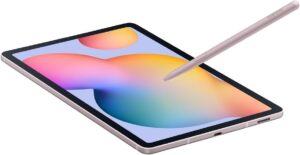 | SAMSUNG Galaxy S6 Lite | 10.4 | Android 14 | 2000×1200 | 64GB/ Expand to 1TB | Wifi | 2.4 GHz | Unknown / 15hrs | 25.4×16.4×2.2/ 465gm | S-Pen; Dual Camera; Flash memory – 4GB | Click Here |
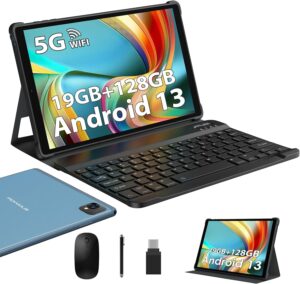 | POWMUS M820 | 10.1 | Android 13 | 1920×1200 | 19 GB/ 128GB Expand to 1TB | Wifi 2.4GHz & 5GHz, Bluetooth | Octa Core | 8000 / 8Hrs | 33.7×19.7×4.0 / 1.26kg | GPS; PC w Keyboard & Mouse; Flash Memory 128GB | Click Here |
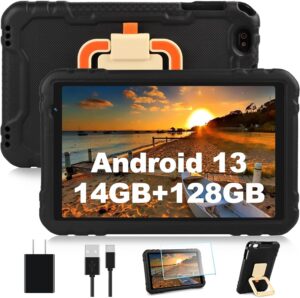 | AOCWEI X500 | 10.0 | Android 13 | 1280×800 | 14GB/ 128GB Expand to 512GB | Wifi, 2.4GHz & 5GHz Bluetooth | Octa Core | 8000 / 8hrs | 31.8×31.0x 5.3 / 700gm | GPS; Dual Camera; Drop Proof | Click Here |
 | YESTEL T13 | 10.1 | Android 13 | 1280×800 | 12GB/ 128GB Expand to 1TB | Wifi, 2.4GHz & 5GHz Bluetooth | Octa Core | 6000 / 6-8hrs | 24.38×14.99×0.71/ 430 gm | Dual Camera; Keyboard & Mouse; Flash Memory 128GB | Click Here |
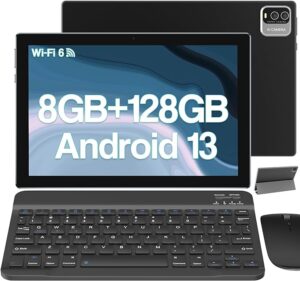 | HOTTABLET CP20MAX | 10.0 | Android 13 | 1280×800 | 8GB/ 128GB | Wifi 6, Bluetooth | QuadCore | 6000 / 6-8hrs | 35.5×20.5×3.4/ 1.3kg | Dual Camera; Keyboard & Mouse & Stylus; Flash Memory 128GB | Click Here |
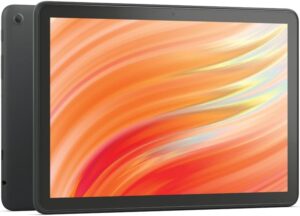 | AMAZON Fire HD 10 | 10.1 | Android 13 | 1920×1200 | 3GB/ 32GB or 64GB Expand to 1 TB | Wifi 6 not supported, Bluetooth | Octa Core | Battery Powered | 24.6×16.48×0.86 / 433.6gm | Dual Camera; Stylus; Flash Memory 128GB | Click Here |
Samsung Galaxy S6 Lite (2024) Android 14 Tablet w/S Pen & 10.4″ Display 64GB WiFi, Dual Speakers, Expand to 1 TB (CAD Version with Warranty)
Specifications
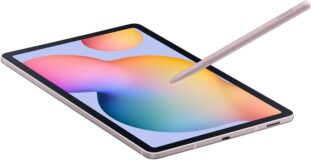
- Standing screen display size: 10.4 Inches
- Display Resolution: 2000 x 1200 pixels
- Processor: 2.4 GHz
- Average Battery Life: 15 Hours
- Brand: SAMSUNG
- Series: Tab S6 Lite (64GB) Pink
- Operating System: Android 14
- Parcel Dimensions: 25.4 x 16.4 x 2.2 cm; 465 g
- Processor Brand: Samsung
- Flash memory size: 4 GB
- Batteries: 1 Lithium Ion battery required (included)
Description
The Samsung Galaxy Tab S6 Lite (2024) in Pink is a stylish and versatile 10.4-inch Android tablet, perfect for both work and play. It features 64GB of internal storage, expandable via microSD, offering ample space for apps, media, and files. The S Pen included feels like a real pen, enhancing productivity and creativity for note-taking, drawing, and navigation.
Powered by a capable processor, the Galaxy S6 Lite handles multitasking and media consumption smoothly. Its dual speakers deliver rich, immersive sound for an enhanced entertainment experience. The 8MP rear camera and 5MP front camera are suitable for casual photography and video calls.
Running on the latest version of Android, the tablet provides a seamless, user-friendly experience with access to the Google Play Store. The bright and clear 10.4-inch display is ideal for watching videos, reading, and browsing.
It is compatible with social media or communication apps like WhatsApp and can stream high-definition movies(full screen) from Netflix and Amazon Prime with no buffering or problems.
Lightweight and thin, the tablet is easy to carry, making it an excellent choice for seniors. Additionally, the LTE model ensures you stay connected wherever you are. The device comes with a warranty, providing reliable support and service.
Pros and cons
| PROS | CONS |
| Set up is easy Lightweight and thin for easy portability 10.4 inch display screen with high resolution (2000 x 1200 pixels) Expandable storage up to 1 TB Good for streaming videos and movies, and for social media 15 hours of battery life Decent dual cameras | Wifi ONLY. No cellphone capabilities A bit slow at times and this can be felt in the pen’s sketching latency May be a bit expensive for some |
Amazon Fire HD 10 Tablet, 10.1 Inch, Full HD Screen, Octa-Core Processor, 3 GB RAM, 32 GB ROM – Newest Model
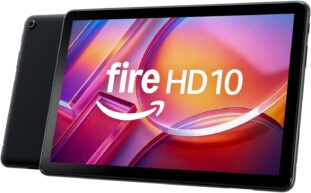
Specifications
- Standing screen display size: 10.1 Inches
- Display Resolution: 1920 x 1200 pixel
- Brand: AMAZON
- Item model number: Fire HD 10
- Operating System: Amazon Android OS
- Product Dimensions : 24.6×16.48×0.86 /433.6gm
- Processor Brand: AMAZON
- Memory Type: Not available
- Batteries: 1 Lithium Polymer battery required (included)
Description
The Amazon Fire HD 10 Tablet is a budget-friendly device offering a solid performance for its price. Its 10.1-inch Full HD display (1920 x 1200) provides vibrant and clear visuals, making it great for streaming videos, reading, simple email and browsing the web.
The screen is bright and offers good color reproduction, enhancing the overall viewing experience. It is made for the Amazon Stylus Pen – sold separately.
Powered by an octa-core processor and 3GB of RAM, the Fire HD 10 handles multitasking with ease, whether you’re switching between apps or streaming content. It comes with either 32GB or 64GB of internal storage, expandable up to 1TB via a microSD card (sold separately), ensuring ample space for all your media and apps.
One of the standout features is its integration with Amazon services. The tablet is perfect for users deeply embedded in the Amazon ecosystem, providing seamless access to Prime Video, Kindle eBooks, and Alexa voice assistant. Alexa allows for hands-free operation, which is particularly beneficial for seniors and users with accessibility needs.
This tablet has video calling capability, and 5 MP front and rear-facing cameras.
The Fire HD 10 boasts a battery life of up to 13 hours, making it suitable for all-day use. Its durable build quality is a plus, though it is slightly heavier than some competitors. The tablet includes a USB-C port for faster charging, and its dual speakers offer decent sound quality for media consumption.
Overall, the Amazon Fire HD 10 is an excellent value for those seeking an affordable, user-friendly tablet with robust features and strong Amazon integration but you can only use Amazon apps.
Pros and cons
| PROS | CONS |
| -Dual Speakers -Accelerometer, ambient light sensor -Fully charge in under 4 hours with USB-C cable and 9W power adapter included in the box -5 MP front and rear-facing cameras with 1080p HD video recording | -Wifi 6 currently unsupported -Micro SD card is sold separately -Operating system is restrictive -Google Play not supported on Amazon Fire Tablets -Alexa (including Smart home Dashboard is currently unavailable on Amazon Fire Tablets in Canada -Limited to downloading apps from the Amazon store |
POWMUS M820 10.1 Inch Android Tablet, 19 GB RAM,128GB Storage Expand 1TB, 5GWiFi GPS Tablette, PC w Keyboard and Mouse-Blue
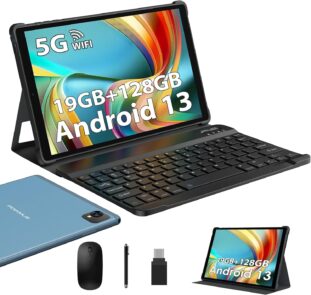
Specifications
- Standing screen display size: 10.1 inches
- Display Resolution: 1920 x 1200 pixels
- Processor: 2 GHz
- Graphics coprocessor: ARM Mali TM-G57
- Wireless Standard: 802.11n, 802.11b, 802.11g, and 802.11ac
- Brand: POWMUS
- Series: M820
- Operating System: Android 13
- Parcel Dimensions: 33.7 x 19.7 x 4 cm; 1.26 kg
- Processor Brand: Unisoc Tiger
- Flash memory size: 128 GB
- Battery: 8000 mAh
Description
The POWMUS Tablet 10.1-inch Android 13 Series M820 is a versatile device designed for productivity and entertainment. Powered by a robust Octa-core processor with a frequency of up to 2.0 GHz, it ensures smooth and fast performance.
Running on Android 13, it offers a sleek design, improved data management, and enhanced security. It easily switches between tablet and computer modes, ideal for both travel and daily commutes.
The M820 features a 10.1-inch display for clear and vibrant viewing, suitable for streaming, reading, and browsing. It supports both 2.4GHz and 5GHz dual-band Wi-Fi for reliable connectivity. With 19GB RAM (8GB original + 11GB expandable) and 128GB of internal storage, expandable up to 1TB via an external storage card, it offers ample space for apps, files, photos, and videos.
The tablet comes with a keyboard and mouse, transforming it into a practical workstation for tasks like typing, emailing, and document editing, making it perfect for students, professionals, and casual users. Its sleek, lightweight design enhances portability.
Battery life is satisfactory, providing a full day of usage on a single charge. Connectivity options include Wi-Fi and Bluetooth, ensuring seamless integration with other devices. While the cameras are basic, they are adequate for video calls and casual photography.
Overall, the POWMUS Tablet 10.1-inch Android 13 Series M820 combines functionality, convenience, and value, making it a strong contender in its price range.
Pros and cons
| PROS | CONS |
| Affordable Quick setup Decent all-round tablet, sporting a Quadcore 2Ghz CPU, 8GB RAM (expandable to 19, and storage of 128GB) Easily switches between tablet and computer modes | Concerns about the accuracy of screen resolution and storage specifications for some products Tablet is considerably heavier compared to other options available. |
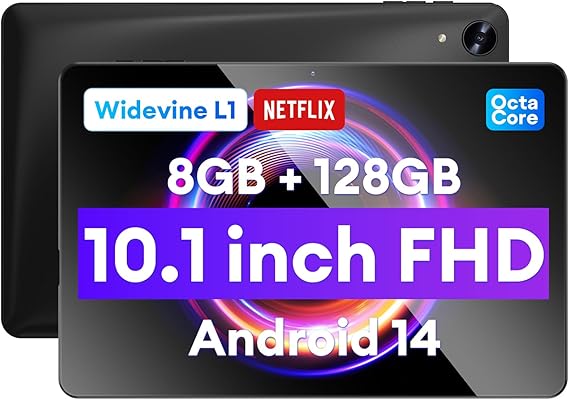
HEADWOLF 10.1 inch Android 14 Tablet with Widevine, 8GB RAM +128GB ROM, Octa Core
Specifications
- Standing screen display size: 10.1 Inches
- Display Resolution: 1920 x 1200 pixel
- Graphics coprocessor: Manhattan ES3.0 14FPS
- Brand: HEADWOLF
- Series: WPad5
- Operating System: Android 14
- Product Dimensions 24.6 x 1 x 16.3 cm; 500 g
- Processor Brand: Unisoc
- Memory Type: DDR3 SDRAM
- Flash memory size: 128 GB
- Batteries: 1 Lithium Metal battery required (included)
Description
The HEADWOLF WPad5 Series 10.1-inch Android 14 Tablet is a robust and versatile device for modern computing needs. It is possibly the best android tablet for seniors on the AMZ market at the moment, and is highly popular.
Running on Android 14, it offers enhanced security, better app management, and new features. With Widevine support, it ensures high-quality video streaming from popular services.
The 10.1-inch display provides clear and vibrant visuals, ideal for movies, browsing, and reading.
Powered by an efficient processor, the tablet handles multitasking smoothly, making it suitable for various tasks. Its sleek, lightweight design enhances portability.
Ample storage options allow for plenty of apps, media, and documents, and the impressive battery life ensures all-day use without frequent recharging.
Connectivity options include Wi-Fi, Bluetooth, and USB-C support, ensuring seamless integration with other devices. Front and rear cameras are available for video calls and casual photography.
Pros and cons
| PROS | CONS |
| -Affordable -Works right out of the box. Very fast and easy to set up -Compatible with Widevine L1 so Netflix and Amazon Prime videos can be played in high quality -After-sales service is quick and courteous -8500mAh battery, supports up to 2TB microSD cards -Pre-attached screen protector film | Concern by a user of slow performance for anything other than media |
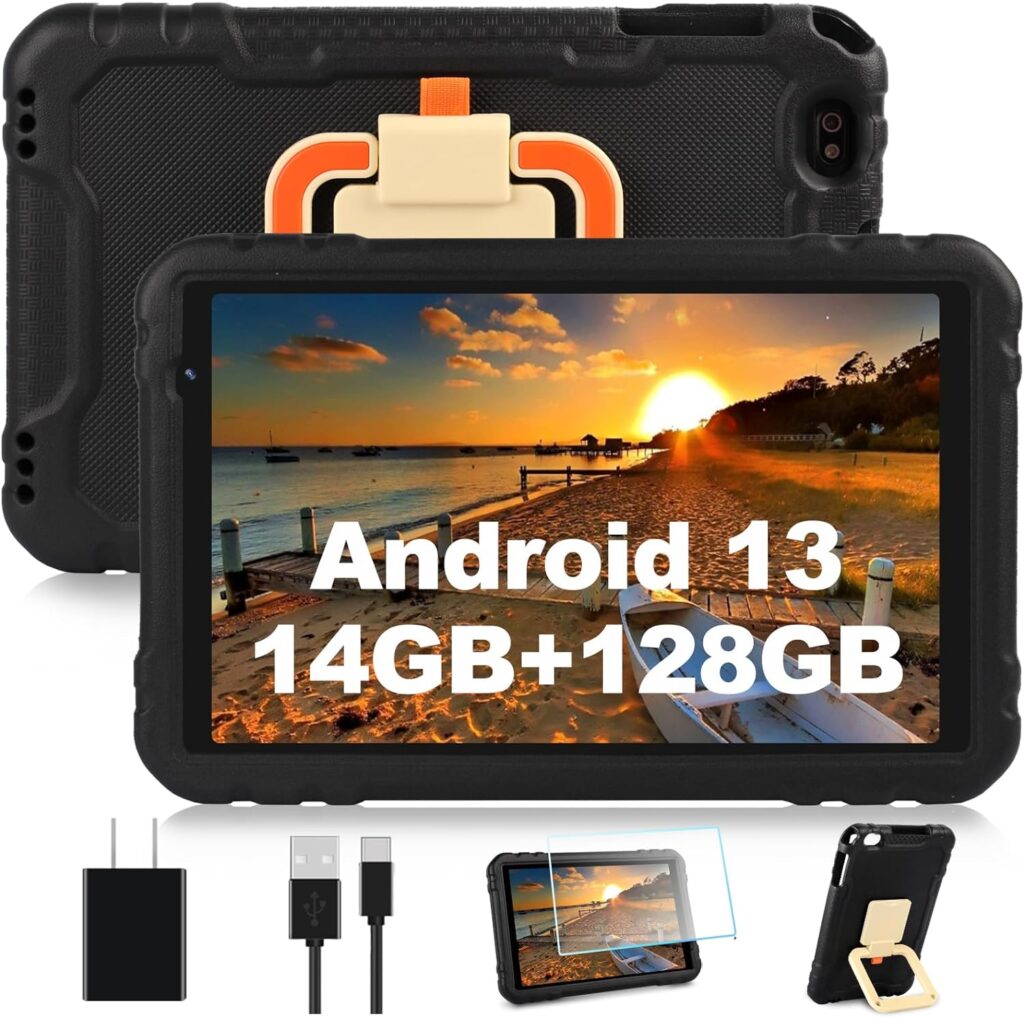
AOCWEI 2024 X500 Android 13 Tablet 10 inch Tablet with 14GB RAM 128GB ROM, Octa-Core, Drop-Proof, 512GB Expand, WiFi, Bluetooth, GPS, Split Screen Support -Black
Specifications
- Standing screen display size: 10 Inches
- Display Resolution: 1280 x 800 pixels
- Processor: 2 GHz
- Average Battery Life: 8 Hours
- Brand: AOCWEI
- Series: X500
- Operating System: Android 13
- Parcel Dimensions: 31.8 x 31 x 5.3 cm; 700 g
- Processor Brand: Unisoc
- Number of Processors: 8
- Flash memory size: 128 GB
- Batteries: 1 Lithium Polymer battery required (included)
- Battery Power: 8000mAh
Description
The AOCWEI 2024 Android 13 Tablet is a powerful and durable 10-inch device designed for productivity and entertainment. Equipped with 14GB of RAM and 128GB of ROM, it offers seamless multitasking and ample storage for apps, media, and documents, expandable up to 512GB for all your files.
Powered by an Octa-Core processor, the tablet handles demanding applications efficiently. The 10-inch HD IPS display delivers vibrant and clear visuals, perfect for streaming, gaming, and browsing. Its split-screen functionality enhances productivity by allowing multiple apps to run simultaneously.
Notably durable, its drop-proof design protects against accidental drops and bumps, making it ideal for both adults and children. The 8000mAh battery provides long-lasting usage, ensuring all-day functionality without frequent recharging.
Connectivity options are robust, with support for 5GHz and 2.4GHz WiFi, Bluetooth, and GPS, ensuring you stay connected everywhere. Dual cameras (5MP and 2.4MP) are suitable for video calls and casual photography.
Overall, the AOCWEI 2024 Android 13 Tablet offers excellent performance, durability, and connectivity, Its drop-proof feature makes it ideal for kids and seniors with dexterity issues.
Pros and cons
| PROS | CONS |
| Easy setup Great performance Screen protector already installed Drop Proof GPS functionality Split Screen functionality Affordable | The screen protector may protect from scratches, but definitely not from cracking, |
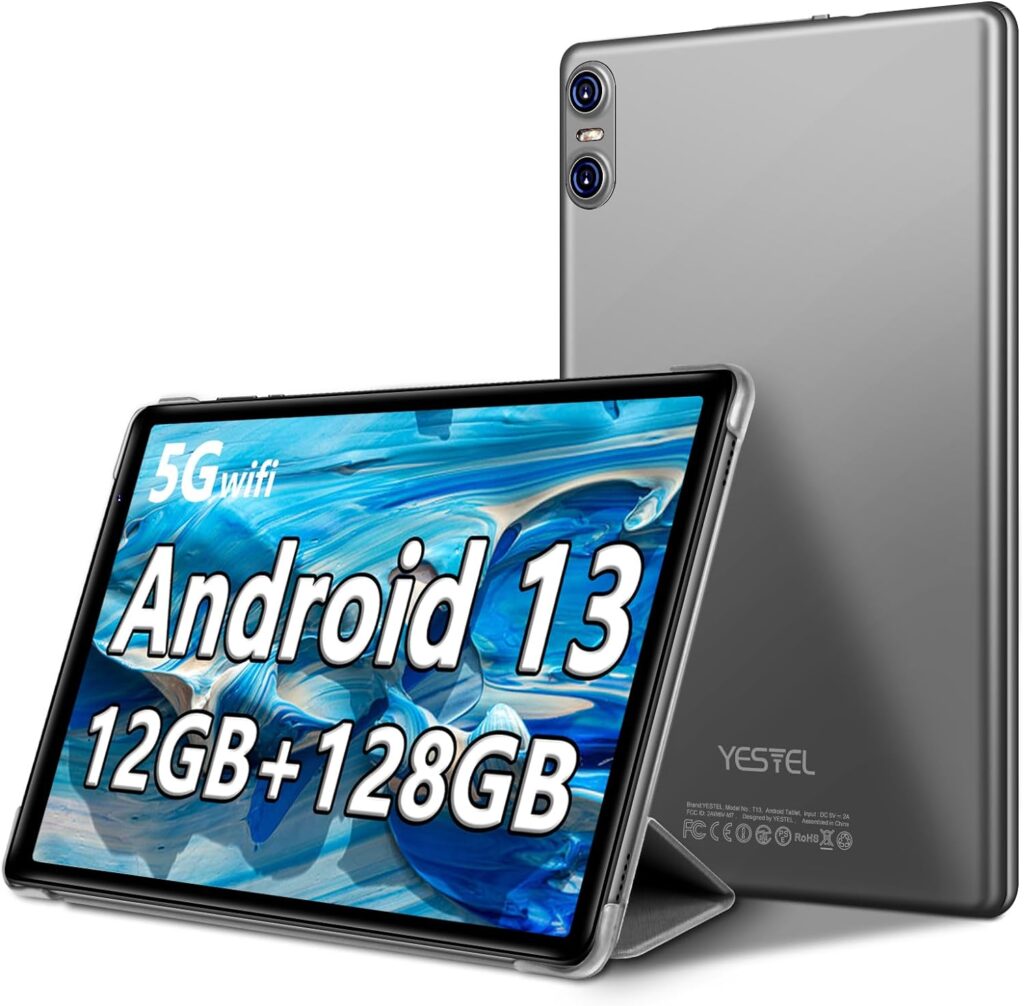
YESTEL 2024 T13 Android 13 Tablet, 10.1 inch with Octa-Core Processor,12GB RAM+128GB ROM (Expand to 1TB), WiFi, Bluetooth, GPS – Grey
Specifications
- Standing screen display size: 10.1 Inches
- Display Resolution: 1280 x 800 pixels
- RAM: 12 GB
- Average Battery Life: 8 Hours
- Battery Power: 6000 mAh
- Brand: YESTEL
- Series: T13
- Operating System: Android 13
- Product Dimensions: 24.38 x 14.99 x 0.71 cm: 430 g
- Color: With Keyboard and Mouse, Black
- Rear Webcam Resolution: 8 MP
Description
Are you looking for a powerful 10-inch tablet that can handle a variety of needs among the mountain of tablet computers for seniors online?
The latest YESTEL T13 Android 13 tablet features dual Octa-Core processors and the latest Android 13 system, ensuring lightning-fast app launches and an exceptional multimedia experience. Please note that this is a WiFi-only tablet and does not support SIM cards.
The T13 can be easily transformed into a laptop with a Bluetooth keyboard, mouse, and foldable protective case, making it perfect for work, study, or play on the go. It comes with 12GB of RAM (6GB original and 6GB expandable) and 128GB of ROM, expandable up to 1TB with a TF card (not included).
The tablet supports dual-band high-speed 2.4G+5G WiFi for a stable online experience with minimal interference. Powered by a 6000mAh battery, it offers up to 15 days of standby time and can be conveniently charged via the USB Type-C port.
Lightweight and portable, this tablet is easy for seniors to handle.
Pros and cons
| PROS | CONS |
| Keyboard and Mouse Very lightweight Expandable to 1 TB with a TF card | Note that this is a WiFi tablet and does not support SIM cards. |
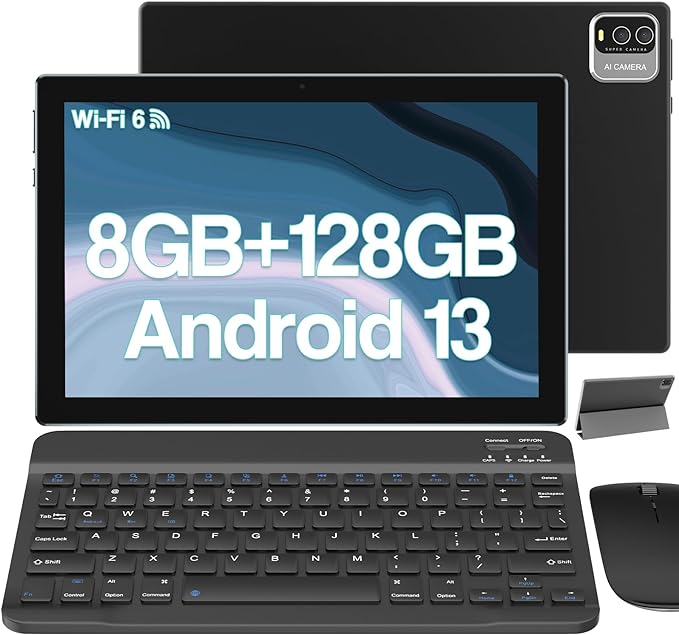
HOTTABLET CP20MAX Android 13 Tablet CP20MAX with Keyboard
Specification
- Standing screen display size: 10 inches
- Display Resolution: 1280 x 800 pixels
- Processor: 2 GHz
- Brand: HOTTABLET
- Series: CP20MAX
- Operating System: Android 13
- Parcel Dimensions: 35.5 x 20.5 x 3.4 cm; 1.3 kg
- Processor Brand: Allwinner
- Flash memory size: 128 GB
Description
The CP20MAX is a 10-inch Android 13 tablet that functions as a 2-in-1 device, including a keyboard, wireless mouse, stylus, and foldable protective case. The stylus allows for direct text input, or you can use the keyboard, making it versatile for work and study.
Its 10-inch full-screen eye protection offers an outstanding visual experience, ideal for seniors. Enjoy excellent contrast and color reproduction for movies, reading, and work, thanks to the responsive G+G technology. The tablet features 8MP and 2MP dual cameras for taking beautiful pictures and making video calls.
Equipped with a powerful quad-core processor (2.0 GHz), 128GB of ROM, 8GB of RAM, and expandable storage up to 1TB, the CP20MAX runs on the latest Android 13 system. This ensures ample space for files, apps, videos, and pictures.
The 6000mAh battery provides 6-8 hours of regular use and up to 15 days of standby time, supporting long-term use for study, work, and multimedia.
Pros and cons
| PROS | CONS |
| Fast response and quality performance Good for home use keyboard, wireless mouse, stylus, and foldable protective case Add text directly with stylus or keyboard | A heavier model than other options (1.3 kg) Good for home use Some users complained of reduced performance over time |
Conclusion – Best and Easiest Computer Tablets for Seniors
Several options are available on the market that meet the unique needs of senior citizens. When you have listed specific needs, this list will further help you reach an informed decision.
We have reviewed the top 7 affordable android easiest computer tablets for seniors. All products are affordable. They meet a variety of unique needs with their excellent features. 2025 Links to products that were not favorably rated by consumers have been disabled. Additional products will be added soon.
Related Articles
- 7 Top Rated Smoothie Blenders Under 100 Dollars
- The 5 Best Air Fryers for One Person – Handy
- 6 Best Headphones for Seniors [Clearer Sound] 2024
- 7 Best Wearable Fitness Trackers for Seniors- 2024
- 7 Inexpensive Senior Exercise Equipment: Guide
- 7 Best Low Impact Pedal Exerciser for Seniors
FAQ
What are the easiest tablets for seniors to use?
The easiest tablets for seniors feature intuitive interfaces, clear displays, and accessibility options like adjustable text sizes and voice assistants.
What are the most user friendly tablets for seniors?
No doubt the most user friendly tablets for seniors include 3 brands – Apple iPad, Samsung Galaxy and Amazon Fire HD. These tablets offer simple interfaces, clear displays, and helpful accessibility features such as voice control and adjustable text sizes. However, many find the Amazon HD operating system too restrictive as you can only download apps from the Amazon store.