

Why do elderly struggle with technology? Many seniors are frustrated and opt to remain digitally isolated because of the the pace at which technology has evolved over the last few decades.
Computers that once filled entire rooms are now surpassed in power by the little devices seniors can now carry in their pockets!
Just thinking back to their younger years, they reminesce over the time when telephones were rotary and TVs had dials. For many older adults, adapting to this rapid change has not been easy.
Discover six surprising reasons why elderly people find technology challenging and how to help them adapt.
Why Do Elderly Struggle with Technology?: The Great Divide
Ever tried explaining how to use a smartphone to your grandma, only to end up more confused than she is? You’re not alone. Many seniors struggle with technology, and it’s not just about being “old-fashioned.” There are real reasons behind it—physical, psychological, and even societal.

Comparing digital literacy between younger and older generations highlights this great divide.
While millennials practically grew up with digital interfaces, a natural extension of their day-to-day lives, —baby boomers often find themselves flung into this strange new world.
Digital literacy isn’t something learned overnight and for many seniors, it wasn’t part of the curriculum or anything they’d encounter in their routine jobs until recently.
This creates a gap that is rooted both in experience and access; education on tech use wasn’t mainstream when they were younger, leading to less understanding and confidence.
If you have ever wondered, why many seniors and the elderly struggle with technology? you are about to find out those frustrating truths which go beyond their general unwillingness.
More importantly, we will explore practical ways to help them navigate the digital world with less frustration.
1. Physical Limitations Make It Harder
Modern devices are often hailed for their sleek and intuitive designs, yet for many seniors, these very features pose significant challenges. While younger folks might swipe and tap through apps with ease, for seniors, these gestures can feel anything but natural.
Navigating tiny icons and intricate menus sometimes requires a level of dexterity and vision that aren’t always a given in later years.
Aging comes with its fair share of physical changes, and unfortunately, these can make using technology harder than it looks.

- Vision Problems: Small text, bright screens, and cluttered interfaces can be overwhelming for seniors with declining eyesight.
- Dexterity Issues: Arthritis, shaky hands, and reduced fine motor skills make typing on tiny smartphone keyboards a nightmare.
- Hearing Loss: Many seniors struggle with voice commands, video calls, or recognizing notification sounds.
How to Help:
✅ Increase font size and adjust screen brightness.
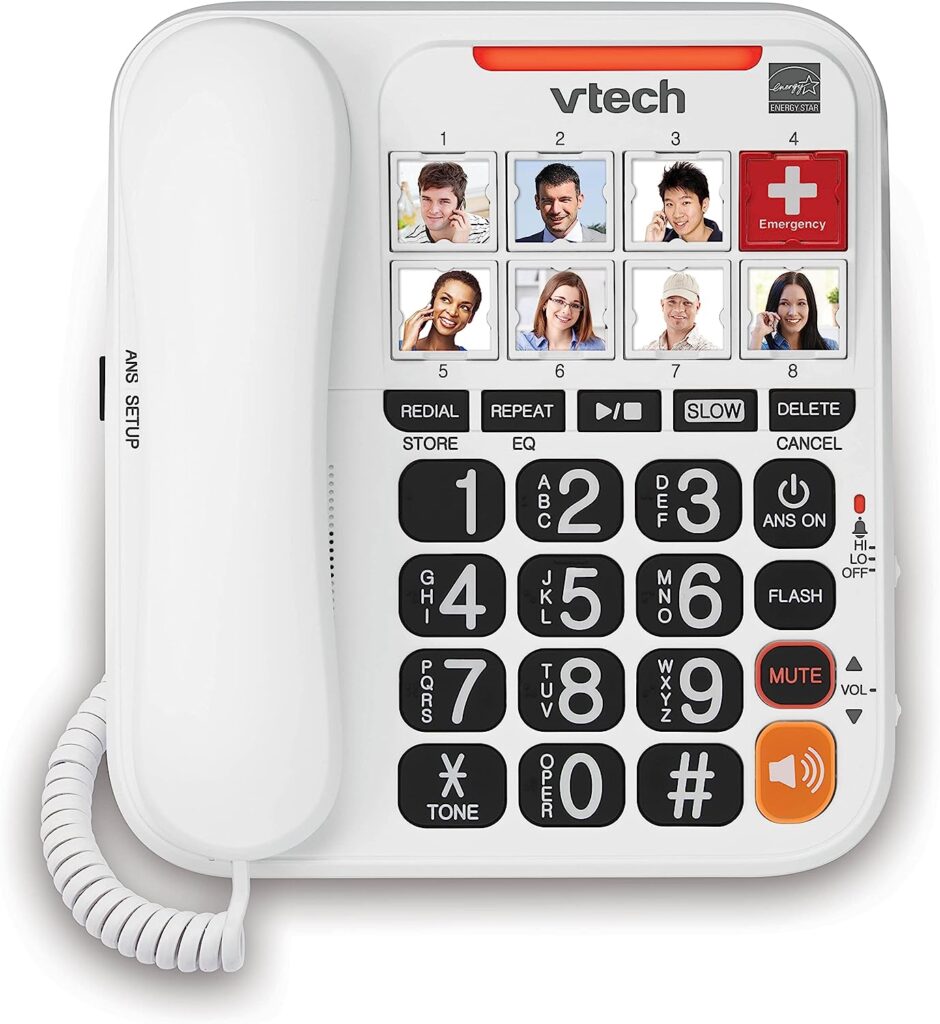
✅ Enable voice-to-text or use senior-friendly gadgets with larger buttons.
✅ Get senior-friendly apps and devices with simplified interfaces.
2. Fear of Making Mistakes
Let’s be honest—technology can be intimidating. One wrong tap and suddenly, all the photos are gone, the phone is stuck in airplane mode, or worse, they’ve “broken the internet” (not really, but try convincing them of that).
Many older adults fear clicking the wrong button and accidentally deleting important files, ending up with a virus, have a stranger gather all their personal info by falling for online scams, or messing up their settings beyond repair!
And then there’s the feeling of shame or embarrassment if they can’t keep up with the grandkids’ fancy gadgets.

How to Help:
✅ Assure them that most mistakes can be fixed (and that “undo” is their best friend).
✅ Set up a backup system so they never lose important files.
✅ Teach them about senior-friendly gadgets that prevent accidental purchases or security mishaps.
3. The Digital World Changes Too Fast
Technology evolves at lightning speed—just when seniors get used to one system, a software update flips everything upside down. It’s exhausting!
- Passwords need updating constantly.
- Apps keep changing their layouts.
- Devices get outdated before they even figure them out.
How to Help:
✅ Stick to the basics—don’t introduce new tech unless absolutely necessary.
✅ Use a digital learning for elderly approach with step-by-step instructions.
✅ Write down login details in a secure but accessible place.
4. Lack of Confidence and Digital Literacy
A lifetime of doing things manually can make technology seem completely foreign. Terms like “cloud storage,” “Bluetooth,” or “streaming” might as well be another language.

Many seniors struggling with smartphones have never had to use touchscreens, digital banking, or video calls before. Their lack of digital literacy makes them feel out of place in an increasingly online world.
How to Help:
✅ Be patient and avoid tech jargon.
✅ Encourage hands-on practice with teaching technology to elderly in a relaxed setting.
✅ Show them how to use senior-friendly apps and devices that simplify tech tasks.
5. Online Safety Concerns
The internet can be a dangerous place, and seniors know it. Between online scams, data breaches, and hacking risks, their hesitation makes sense.
Common fears include:
- Falling for phishing scams.
- Clicking on malware-infested links.
- Having personal information stolen.
How to Help:
✅ Teach them about elderly and online safety basics—like recognizing scam emails and avoiding shady links.
✅ Install strong antivirus protection and enable two-factor authentication.
✅ Introduce them to senior-friendly gadgets with built-in security features.
6. Lack of Immediate Support
When tech issues arise, younger people instinctively turn to Google or YouTube. Seniors? Not so much. Many older adults and online scams are afraid to troubleshoot on their own because they don’t have a tech-savvy support system readily available.
How to Help:
✅ Set up a “tech buddy” system with a patient family member or friend.
✅ Create an easy-to-follow guide for common tech problems.
✅ Encourage them to join digital learning for elderly programs or local workshops.
7. Lack of Interest or Perceived Need
Many seniors simply don’t see the point of learning new technology. If they’ve lived most of their lives without smartphones, social media, or online banking, they might think, Why bother now?
How to Help:
✅ Show them practical benefits—like video calls with family, online grocery shopping, or easy access to health resources.
✅ Introduce tech in a way that aligns with their hobbies (e.g., e-books for readers, YouTube for gardening tips).
8. Negative Past Experiences with Technology
A single bad experience—whether it’s falling for a scam, losing important files, or struggling to fix a tech issue—can make seniors hesitant to try again.
How to Help:
✅ Reassure them that technology mishaps happen to everyone, not just seniors.
✅ Walk them through common fixes and preventive measures.
9. Overwhelming Choice of Devices and Apps
There are countless brands, models, and software options out there. For seniors, just choosing the right device can be a headache, let alone learning how to use it.
How to Help:
✅ Recommend simple, senior-friendly gadgets with easy-to-use interfaces.
✅ Stick to just a few essential apps instead of overwhelming them with too many choices.
Conclusion – Why Do Elderly Struggle With Technology
So, why do elderly struggle with technology? It’s a mix of physical challenges, fear of making mistakes, ever-changing digital trends, and lack of confidence. But with patience, the right tools, and a little bit of encouragement, seniors can become more comfortable using tech.
Specially designed resources and tools can be game changers, easing the tech journey for older users. There are tablets with simplified interfaces, phones with larger display settings, best cell phones for hearing aid users, and even remote tech help services that understand the needs of seniors specifically.
Furthermore, online tutorials that offer step-by-step guidance, often featuring relatable scenarios, can make a world of difference.
The key is to make technology feel less like a burden and more like an opportunity—to stay connected, entertained, and engaged in a world that’s moving faster than ever.
With a little patience and the right approach, seniors can become tech-savvy in no time. After all, if they mastered life before Google, they can handle this too!
FAQs for Why Do Elderly Struggle with Technology
Why do elderly people have trouble using smartphones?
Seniors often struggle with smartphones due to small screens, complex interfaces, and unfamiliar touch gestures. Physical limitations like poor eyesight or arthritis also make navigation difficult.
How can I help an elderly person learn technology?
Start with senior-friendly apps and devices, be patient, and offer hands-on guidance. Encourage them to practice with real-life tasks, like sending a message or making a video call.
What are some good tech devices for seniors?
Look for senior-friendly gadgets like large-button phones, tablets with simplified interfaces, and smart speakers that respond to voice commands.
Are there tech classes for seniors?
Yes! Many community centers, libraries, and online platforms offer digital learning for elderly programs to help seniors build confidence with technology.
How can seniors stay safe online?
Teach them the basics of elderly and online safety, such as avoiding suspicious links, using strong passwords, and recognizing scam attempts.